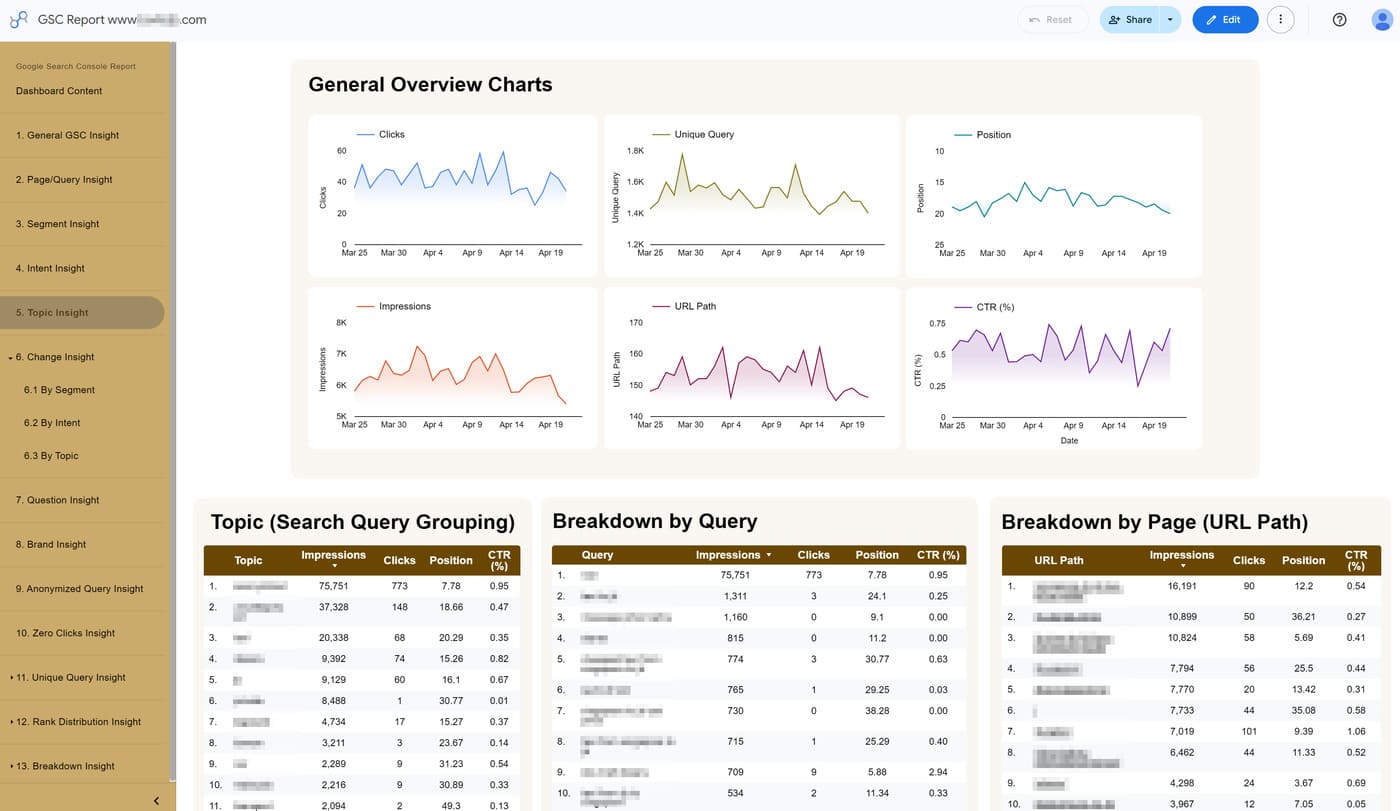
View your search performance organized by high-priority topics (query grouping)
Problem:
Google Search Console gives you a long list of keywords, but it doesn’t group them for you. It’s impossible to see the “total performance” of a specific query grouping you’ve defined because the data is split across hundreds of slightly different search terms.
Consequences:
You waste time looking at individual keywords instead of seeing which parts of your SEO content are actually growing. Without a way to group these terms by priority, your data stays messy and you can’t tell which main topics are driving your most valuable traffic.
Solution:
The Topic Insight report displays the custom topics you define in the SEOIE app. Thousands of search terms are automatically sorted into your most important topics based on your Priority List (from #1 to #20).
This allows you to:
- If a search like “how-to guide” contains keywords from two different topics, the report automatically places it into your Priority #1 group so your data stays organized.
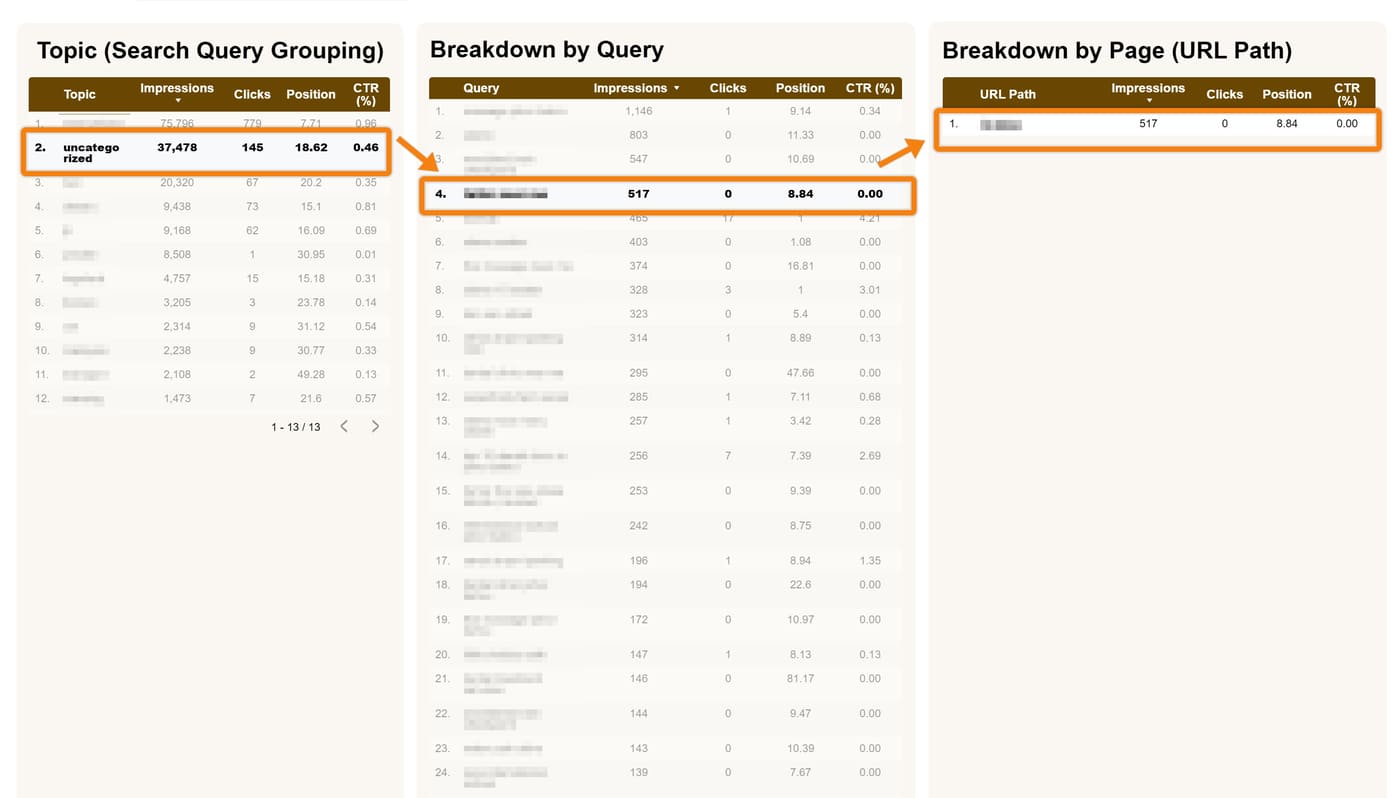
- Instead of scrolling through 1,000 individual keywords, you see a single row that totals the performance for that entire query group. This gives you an instant summary of how that specific business is doing.
- Click any topic to see the full list of queries, then click a query to see every specific page that is ranking for it.