Audit SEO Key (KeyEvent) performance for all seo content
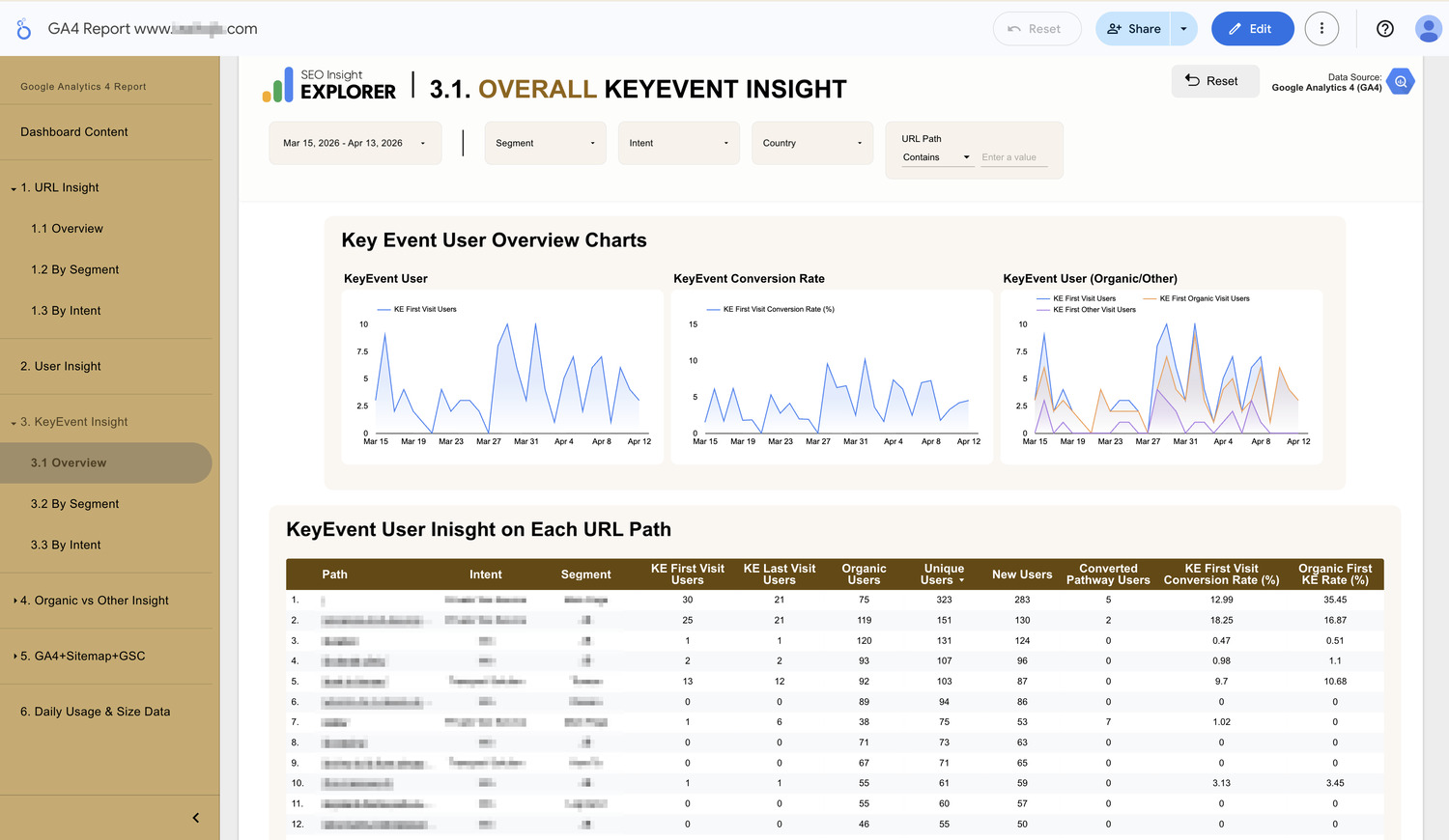
Overall KeyEvent User Insight
Problem:
Most content teams focus on traffic, but traffic alone doesn’t pay the bills. In standard GA4, it is nearly impossible to see which specific Intent or Segment actually drives “Key Event” (conversions) because these groupings are custom categories defined by the site owner.
By default, you can only see which specific URL has conversions. You may know that a conversion occurred, but you cannot easily determine if it originated from a specific service category or a particular type of informational guide.
Consequences:
Without this specific data, you end up making content strategy decisions based on traffic volume alone. You might spend weeks writing articles that attract thousands of visitors but zero bookings, while accidentally ignoring low-traffic pages that actually have a high KeyEvent Conversion Rate.
Solution:
KeyEvent User Insight displays your important actions after you have manually grouped your URLs by Intent and Segment within the SEOIE app. By organizing your conversions into these custom business categories, the report allows the team to audit performance and identify “Hidden Gems”, topics that have high conversion potential despite lower traffic volume:
 KeyEvent User Insight (By Segment)
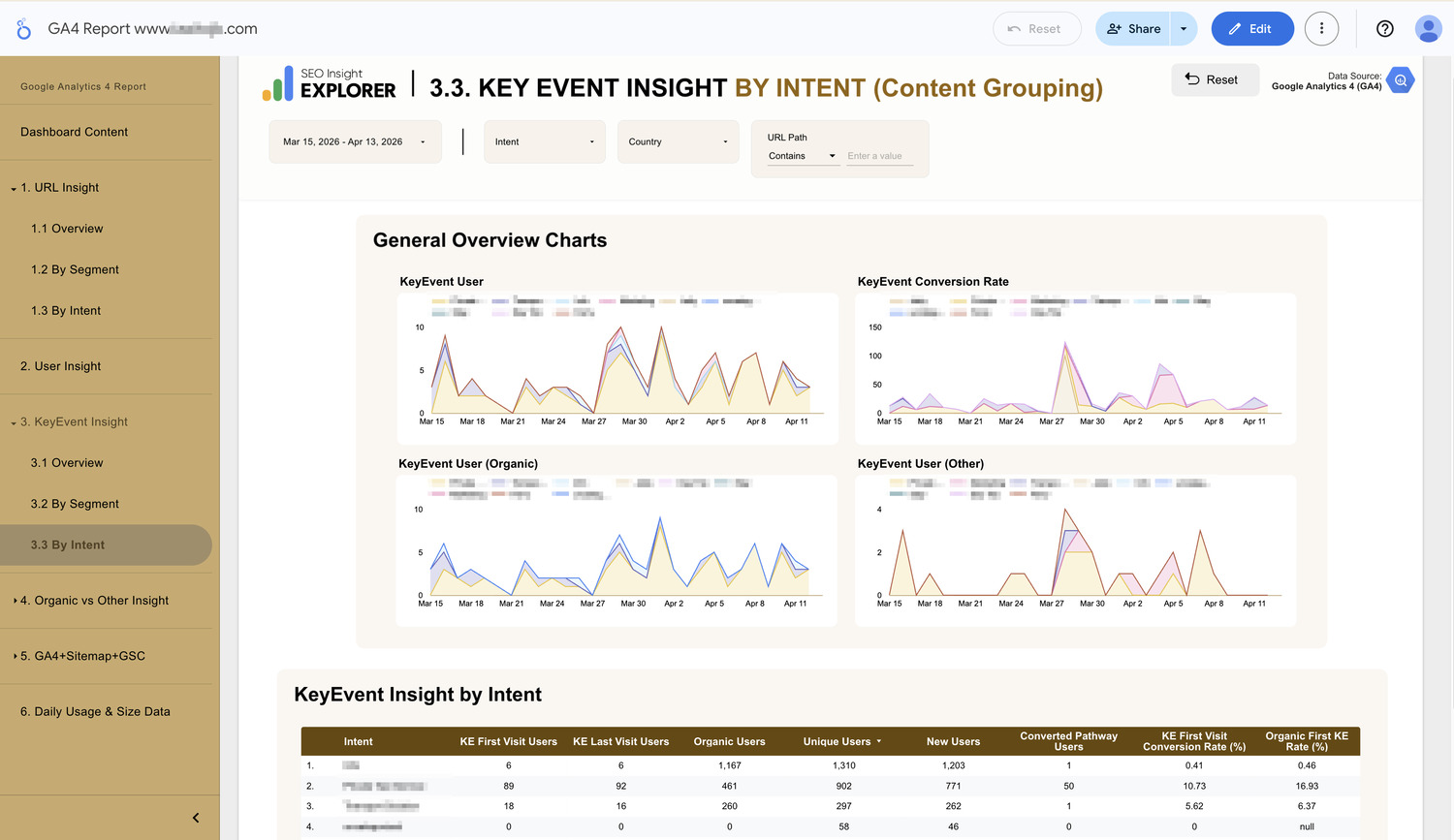
KeyEvent User Insight (By Intent)
- KeyEvent User Insight by Intent/Segment: Audits which user mindset is most profitable based on your manual content grouping. It tracks First Visit KE Users and Last Visit KE Users so the team can determine if a content group is better at introducing new customers or closing the final deal (KeyEvent).
- Organic First Visit KE Rate (%): You can identify which of your defined content groups are your strongest organic lead generators.
- Converted Pathway Users to show exactly how many users (had triggered KeyEvent) interacted with your content (URL) as part of a successful journey. So that we know which are those contents that are frequently visited by the high quality visitor.
- First Visit KE Users = Number of new users who triggered the Key Event, attributed to the landing page (first-visit URL) where they initially entered the site.
- Last Visit KE Users = Number of new users who triggered the Key Event, attributed to the URL where the Key Event occurred (the last-touch URL tied to the conversion).
- It depends on the conversion model you choose to use, as both are equally important when evaluating URL performance.