Intro: Unlock SEO Insight from BigQuery

SEO is changing fast.

Keywords are losing their power, AI is reshaping search behavior, and GA4/GSC’s default reports are quietly boxing in your thinking.

If you’re still relying on those tools’ UI alone, you’re missing the real business insights hiding in your data.
GSC and GA4 bulk export to Big Query

The solution?

BigQuery is the only way to fully unlock and connect your GA4 and GSC raw data.

In this post, I’ll show you why BigQuery for SEO isn’t just a “tech upgrade” It’s a complete shift in how you find, measure, and double down on high-intent content that actually drives sales.

The main objective of doing SEO is to make more sales. We have created a “BigQuery for SEO Dashboard” that combines GSC and GA4 data to show Actionable SEO insight. Specifically focused on analyzing content groups that attract organic users that have buyer signals.

1. No Shortcuts: BigQuery Is the Only Proper Way to Query GA4 & GSC

Before showing you how the dashboard works, let me explain why this could change the game of how you do SEO differently.

Two point as following:

  • Keyword is dead, High-Intent-topic is a new approach to do SEO in 2025
  • Asking real business question that GA4/GSC UI/API can’t answer you

In 2025, Google now is smarter with AI.

AI not only has changed the SEO game entirely, but also influenced human search behavior.

People’s search from keywords query to conversational query. While Google no longer relies on matching search query to content keywords, rather it “interprets” the query and directs people to the right content.

Meanwhile for general or informational searches, the search experience is becoming click-less.

People get their answers instantly, right from the AI-generated overview.

That’s why click-through rates on traditional SEO content are dropping.

Google is redistributing the traffic.

Now is the best time to start changing our strategy from “More Keyword, More Traffic” to “High-Intent-Topic”.

And these are two approaches to do SEO using keyword volume and intent topic.

Keyword Content (old way)High-Intent-Topic Content (new way)
Research high volume low competition keywords, and write content around each keyword.Understand what is in your ideal prospect’s mind and build content around their problems and topics they care about.

“cordless drill battery”

“Type of cordless drill”

“cordless drill brands”
“Bosch cordless drill”

“How many hours can I work with a 6.0ah cordless drill battery?”
“What are the cordless drill models that can drill into masonry walls?”

Think of “High-Intent-Topic” like this,
“What is in your prospect’s mind when they are searching for a solution?”

You don’t need to worry that the topic contents are too specific or have low search volume (even if zero-volume), most importantly that your content is filling the search gap from users’ perspective within the topic.

Keep in mind that Google is doing its best to fit the right content to users search intention.

And the obvious way to win? It’s to work cohesively to Google’s objective (not keyword volume) and it will bring you high-intent ready-to-buy users eventually.

I know this is counter-intuitive, but hear me out.

We are talking about producing high intent topics even with low search volume.

Because we don’t want traffic that doesn’t convert, volume isn’t our main focus. Instead, our priority is creating content that consistently attracts high-intent users—the key to sustainable SEO growth.

So the right way to monitor and analyze your content groups is crucial.

That’s why our dashboard is designed to track performance group by group, making it easy for you to gain business insights based on content classification.

A dashboard that can show you actionable insight and answer your business question is the only direction we should focus on.

GA4 and GSC’s UI/API limit you from asking deeper, more actionable business questions.
GA4 & GSC API connect

Their default reports shape your SEO logic around pre-built questions that often don’t match your real needs. This means your thinking is restricted by GA4/GSC constraints, not by actual business requirements and that’s where the real risk lies.

Here are some of the example of how website owner has been framed by the default GSC/GA4 UI/API.

GSC/GA4 (UI/API) can tell you: “How many organic visitors did we get last month?”

What you really need to know: “Which organic landing pages brought in users who completed a key event within 14 days, and what queries are available in GSC for those pages?”

GSC/GA4 (UI/API) can tell you: “How many new users came last month?”

What you really need to know: “How many of those new users took action on SEO blog posts, and which content segments did they engage with?”

GSC/GA4 (UI/API)can tell you: “What was our overall ranking last month?”

What you really need to know: “What were the ranking fluctuations for top content groups that consistently bring in new sign-ups?”

GSC/GA4 (UI/API) can tell you: “Which are the top 5 traffic pages?”

What you really need to know: “Which of the top 5 content groups consistently bring in new organic users, and what is the key event rate from that organic SEO traffic?”

GSC/GA4 (UI/API) can tell you: “How many key events happened last week?”

What you really need to know: “What is the key event rate performance for all top SEO content groups across every source and medium?”

GSC/GA4 (UI/API)can tell you: “How many pageviews did our blog get last month?”

What you really need to know: “Which blog articles attracted users who later signed up for our product within 30 days, and what topics drove the highest conversion rate?”

Why is BigQuery ideal for SEO data hosting but not GA4 / GSC API?

Many people do not realise this, but GA4’s UI and API quietly limit the questions you can ask. 

Over time, you get so used to these restrictions that you stop thinking about what you actually want to know and start accepting whatever the tool makes easy to find.

When that happens, you are no longer digging for real business insights. 

You are just pulling the same surface-level reports GA4 offers, which is why the platform can feel underwhelming.

GSC and GA4’s interfaces are built for quick questions, but those rarely align with what your business truly needs to know.
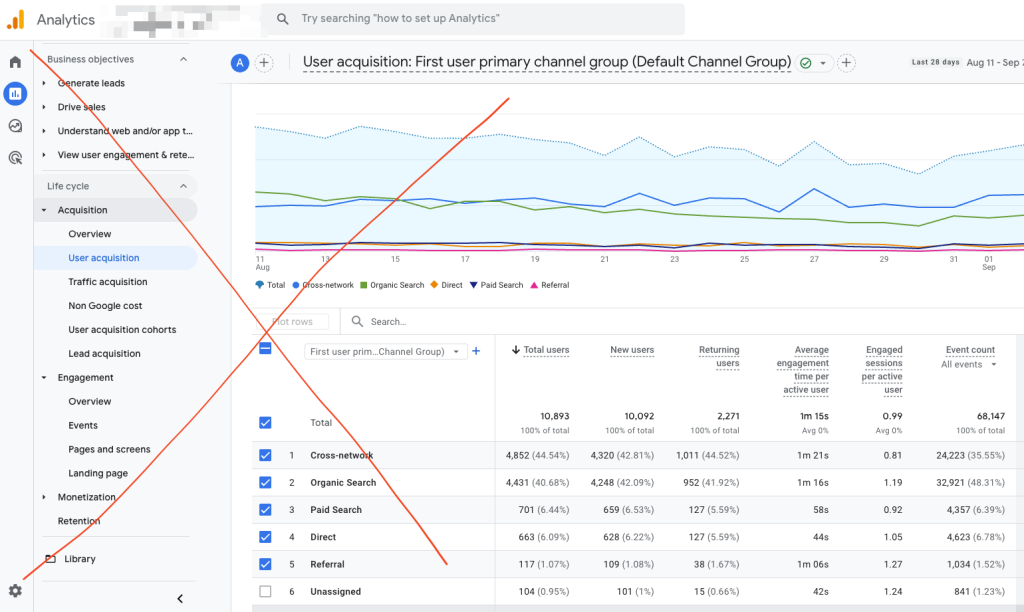
GA4 not for SEO content Analytic

APIs have daily request limits and sampling (not raw data)that can restrict comprehensive data analysis. Some data from API links is also precalculated, which is not advantageous to us.

BigQuery frees you from those limits, instead of being stuck with someone else’s idea of the “right” questions, you can query every piece of raw data available.

It’s not just an alternative; it’s the only real solution.

AI doesn’t have the lived experience or context of SEO data and definitions to replace you.

2. GSC and GA4 are not designed for SEO Optimization

GSC Average Metrics are meaningless.
GSC & GA4 not for SEO content analytic

Here’s the hard truth, the metrics have been either averaged out, or calculated by estimation.

Let me give a real situation that happened on my site.
In July 2025, I noticed the average ranking drop in GSC. But I couldn’t tell which URL was causing it. The GSC interface didn’t let me filter out the low-ranking queries behind the drop. So at first, I thought the sites were doing poorly.

But here’s what really happened: some of my pages started gaining traction and began ranking for a lot of new, unique queries—just not on page one yet. These lower-ranked new queries pulled down the average. It was actually a good sign.

Most marketers don’t realize this.

Metrics like average CTR, average position, and bounce rate often become blind spots, especially when you’re looking at large datasets.

These averages can easily hide meaningful changes happening on specific groups of pages or queries. You miss the details that actually matter.

What’s worse is that GSC often hides 50% of the “anonymized clicks”. You think the page doesn’t have any traffic? That is totally wrong.

You may read this post, as I have included the details in “GA4 and GSC Aren’t Build for SEO

3. New Way: BigQuery for SEO to replace GA4/GSC (UI/API)

BigQuery is so powerful, it lets you work directly with the raw data and explore it on your own terms.

If you truly want to get the most from GA4 or any analytics source, BigQuery is the way to go. There is no substitute.

Even with AI involved, BigQuery still matters.

GA4’s UI/API compress and aggregate your data, limits historical access, applies sampling, and locks you into fixed logic. Without access to the raw, unfiltered dataset, AI can only give partial answers, never the full picture.

How should we get started?

We need to start with the end in mind: what business question am I trying to answer?

Earlier in this post, we talked about creating high-intent content that attracts prospects who are ready to take action.

So, to frame the problem clearly, we should be asking:

  • Which content brings in quality users?
  • What’s the first page an organic, converted user landed on?
  • How many new, unique queries is my site ranking for?
  • What are the content pathways for those quality users?
  • Which content segments are most visited by organic users?

3.1 For GA4 analytic, focus on “User” and

“Pages”, not Session.

Sessions and time spent are secondary. What really matters is who converts, and how they move across your content. User-level data reveals which content resonates with converting users, helping you prioritize what matters.

Some user insights to track:

  • Organic Users – See your daily active users from the organic medium.
  • Key Event Rate – Shows how often key events occur across different content groups.
  • Organic Content Pathway – Identify the content journeys taken by your highest-quality users.
  • Active Users – View the percentage of active users visiting your website each day.

3.2 For GSC analytic, focus on pages and query classification

GSC limits query data to 1,000 rows, hiding insights, especially for large sites.
To truly understand performance, analyze query-level data, not just impressions.

Some key query insights to track:

  • Brand Queries – A clear sign of trust and brand awareness.
  • New vs. Lost Queries – Highlights whether your content is growing or declining in search visibility.
  • Unique Query Count – Shows how many distinct queries your content ranks for.
  • Question Queries – Identify long-tail, question-based queries you’re targeting.
  • Topic – Group queries by topic to track and monitor their performance.

These help you understand which content drives visibility and engagement—and which areas need attention.

4. 2 Major Misconception of using BigQuery for SEO

Misconception 1: BigQuery is expensive

  • For most businesses, GA4 + BigQuery costs very little.
  • If you can buy a cup of tea, you can afford it.
  • GCP includes 10GB free storage and 1TB free querying each month, enough for most website owners.

Misconception 2: BigQuery is only for big companies with full-time analysts

  • 99% of businesses do not need a dedicated analyst; their data needs are small.
  • Many small businesses have low-traffic websites, but GA4 can still hide data using thresholds.
  • GA4 UI/API limitations include:
    • Data thresholds that withhold information
    • Sampling
    • Limited data retention
    • Cardinality issues
  • BigQuery avoids these problems and gives you:
    • No data thresholds
    • No sampling
    • Full historical access
    • Accurate, unsampled data

Use it to uncover missing or incomplete datasets and see the full picture.

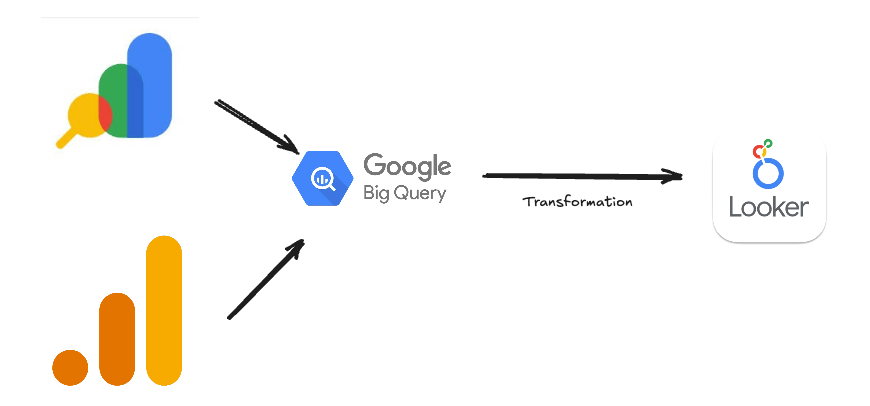
GSC and GA4 Bigquery data Transform
5. Steps to transform Your BigQuery GSC and GA4 Data into Actionable Insights

  1. Define the problem – Be clear about the question you’re trying to answer or the challenge you want to solve.
  2. Choose your visualization – Pick the type of chart that will best tell the story behind your data.
  3. Understand your data – Know the meaning and purpose of each column in your dataset.
  4. Extract raw data – Pull the necessary columns into a new dataset for easier processing.
  5. Adjust time zones – Convert GA4 event timestamps to your preferred time zone for accuracy.
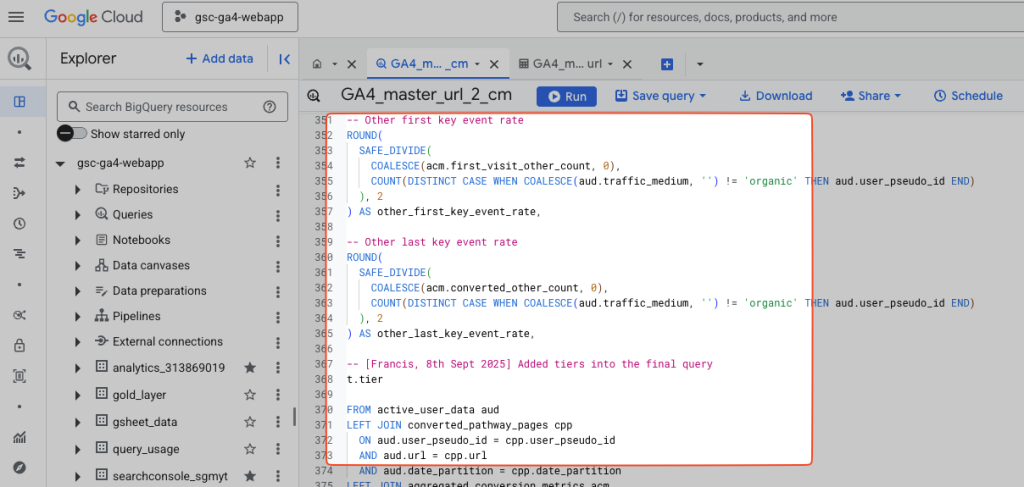
  6. Build your metrics with SQL – Apply SQL logic to calculate the metrics you need, such as:
    • Active Users
    • First Landing Page
    • Organic Users
    • Key Event Rate
    • etc.
  7. Automate your process – Schedule your queries to run daily so your data stays fresh.
  8. Visualize in Looker Studio – Connect your processed data to Looker Studio for clear, actionable reporting.
BIgQuery Data Work Reality

6. BigQuery Data to Final Looker SEO: The Harsh DIY Reality

If you’re planning to hire a data engineer to build in-house analytics, make sure they have SEO expertise, someone who can bridge SEO pain points with data solutions.

Without that, you’ll end up with reports that look impressive but offer no real SEO business value.

I’ve spent nearly 24 months consistently learning, from the very basics of SEO metrics, SQL, data engineering, BigQuery, to Looker Studio.

These things can’t simply be replaced by AI. You need to get your hands dirty and learn everything from the ground up.

Below is the overall pathway you have to go through if you would like to Do It Yourself, DIY.

GSC and GA4 Raw Data Identification on Big Query :

  • Column mapping – Identify essential SEO data points (queries, pages, clicks, impressions, positions)
  • Data definitions – Establish clear meaning for each metric to avoid misinterpretation

SQL Data Transformation logic

  • Logic development – Build attribution models for every metric that matters to SEO performance
  • Custom calculations – Create business-specific formulas beyond standard platform metrics

SEO Insight Data Vizualization :

  • Metric justification – Every dashboard element must directly support SEO decision-making
  • Strategic filtering – Focus only on data that drives actionable insights

It’s not just about time, I’ve invested five figures to learn from the best, hire freelancers, hire data analysts and work with developers to optimize SQL, data pipelines, and visualizations. This isn’t something you can solve by prompting AI for a final answer in five minutes.

7. Top 5 Reasons that BigQuery and Looker Studio are Best for SEO Analytic

  • Seamless Integration – BigQuery and Looker Studio both are Google products that integrate seamlessly with Google SEO, making it ideal for advanced organic search analytics.
  • Consistent metrics and dashboards – Your custom analytics on Looker Studio remain stable without disruption from Google Analytics updates or interface changes
  • Data Ownership – The minute you start capturing data into BigQuery storage, you own them.
  • Future-proof analytics – Avoid data loss from platform migrations or discontinued features by maintaining your own data warehouse
  • Free tier storage and querying – BigQuery provides 10GB of free storage and 1TB of free monthly queries, making long-term SEO data ownership cost-effective for most websites.

This gives you full control, consistency, comprehensive historical insights, and cost efficiency that third-party platforms can’t guarantee.

8. Joining GSC and GA4 Big Query Raw Data to Grow Your SEO
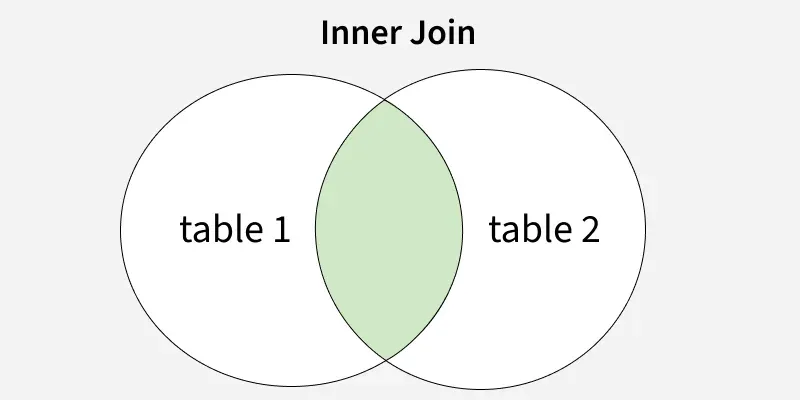
ga4 & gsc data inner_join sql
GA4 and GSC both data inner join

For a SEO marketer, owning your data isn’t just important — it’s essential. Only when you truly understand your data you can uncover the insights that drive results.

The two most critical sources are GA4 and GSC. Together, they give you the full picture, from organic impressions in search results all the way to event tracking on your website.

With this data, we can identify which pages perform best in GSC and pinpoint the high-traffic pages or bottom-funnel content that attracts organic visitors who are ready to take action.

The challenge?

Merging GA4 and GSC into one clean, accurate analytics report. The merge needs to be done right based on the specific insights you want to gain.

By joining URLs from both datasets, we can see the full story: the organic performance of each page and the content pathways users take.

This is how we move from basic data to actionable insights that help website owners make smarter decisions and get better results.

9. SEOInsight Explorer: How We Build BigQuery for SEO Dashboard Differently

Everyone’s obsessed with building flashy dashboards that look impressive, but more data doesn’t mean better decisions.

You open a dashboard, and 30 minutes later, you’re still trying to make sense of it. What you actually need is a simple, focused dashboard that delivers clear insights instantly, without complex layers or confusion.

The right question isn’t “how much data can we show?” it’s “what decisions do we need to make?”

Most tutorials teach you how to connect data and build beautiful charts—but they ignore SEO strategy entirely.

Most dashboards are built by data people, for data people.

But SEO success isn’t about over-analyzing. It’s about answering the right business questions through data.

Here’s why SEOinsight Explorer was built by SEOs, for SEOs.

Our SEO data pipeline runs through BigQuery, but before anything hits the Looker dashboard, the data is transformed.

These days, there are plenty of apps and BI tools (some even powered by AI) that let you connect directly to your data source. It feels like a quick shortcut — no technical work, no data programming. 

But here’s the problem: if your raw data table is in GB or even TB, just poking around in a Looker Studio report for a couple of minutes could end up scanning the entire thing.

Here’s why:

  • The data platform doesn’t know what you actually need, so it grabs every column.
  • Your raw table is packed with rows and columns you’ll never use in a report.
  • BigQuery charges you for every byte it processes, not for how many times you click “run.”

Stop Wasting BigQuery Dollars: Transform and Partition Before You Report
Here’s what to do instead:

  1. Never connect reporting tools directly to raw BigQuery tables — always transform, filter, and partition your data first.
  2. Avoid direct connections that trigger full-table queries, which process all rows and columns even when you only need a small subset (and can cost thousands monthly).
  3. Use cleaned and partitioned tables as the data source for Looker, Google Sheets, or any other platform to keep queries lean, performance fast, and costs low.

To achieve this, you need to understand the basics of data column definitions and the metrics you want to calculate, so they can be presented clearly in a Looker report.

AI can assist you, but you still need a solid understanding of your data — there’s no such thing as AI magically creating a sophisticated dashboard that delivers actionable insights without your input.

Conclusion:

BigQuery is the key to finding them. By connecting, transforming, and analyzing your GA4 and GSC raw data in BigQuery, you move beyond surface metrics and see exactly which content brings in ready-to-buy users.

This isn’t about flashy dashboards or drowning in data; it’s about asking the right business questions and getting clear, actionable answers.

Start Owning your data. Control your insights. And let BigQuery guide your next SEO win.

Why the Funnel Concept is Overrated — And SEO Nurturing is a Myth

If you’re still applying the concept of funnel model to SEO, it’s time to re-evaluate this in the world of SEO. The idea that users move from top-of-funnel, to middle, to bottom, and then convert sounds good in theory—but it rarely reflects real behavior.

In reality, users don’t follow a straight path. They come from all directions, at different stages, with different needs.

And let’s be honest—the time it takes for someone to go from discovery to conversion through “funnel content” is often painfully long, if not they simply left and never came back.

So why focus on top-of-funnel traffic with little or no buying intent—just to “nurture” them—when you can create high-intent content that STRAIGHT AWAY brings in people already ready to take action?

Stop chasing the funnel.

Start focusing on high-intent topics that attract quality traffic. With BigQuery for SEO, you can identify exactly what works and double down on content that helps you make more sales!

Turning GSC Raw Data Into Clear, Actionable Insights

The default GSC dashboard has its limits, so I knew I needed something more flexible—something that included full data and allowed better filtering, navigation, and clean data handling.

Here’s how BigQuery for SEO Dashboard can fix that.

First, it allows you to remove any invalid or messy data that could cloud your judgment.

Next, it’s about structuring the information: identifying the number of unique queries, categorizing them at your input such as new queries, brand terms, locations, etc, and grouping pages based on your game plan.

Without this level of control, you can’t truly dive deep into URL and query-level analysis. But once you set it up right, you can read your data faster, spot what matters, and make decisions with confidence.