1.0 Why GSC and GA4 Aren’t Built for SEO Optimization
If you’ve been relying on GSC and GA4 for your SEO efforts, you’ve likely felt this before: it looks like you have plenty of data, charts, metrics, reports, but deep down, most of it doesn’t help you make better decisions.
In fact, you’re working with fragmented metrics that don’t tell the full story. Here is why.
2.0 The Daily SEO Pains That Holding You Back From Real Optimization
Sure, you can forget about all the complexity by just focusing on traffic and user acquisition.
But when the graph dips, you’re stuck asking:
What went wrong?
Which page?
Which query?
Was it content quality, competition, or content decay?
And without deeper, connected insight, you don’t know what went wrong and most importantly how to fix it.
Then you leave the post unfixed and work on a new post and “pray that it wins”.
Guess what, now you are trapped in the SEO rat race of putting out new posts while leaving the winning post unoptimized.
Because of the disconnection and the lack of focus on the metrics that actually matter to your SEO goals, that’s why I say GSC and GA4 aren’t built for SEO Content optimization. They’re good at web analytics, but they are not seo content analytic.
3.0 How GSC and GA4 Mislead Marketers Into Bad SEO Decisions
3.1. GSC Gives You the Basics… Just Don’t Expect Deep SEO Insights
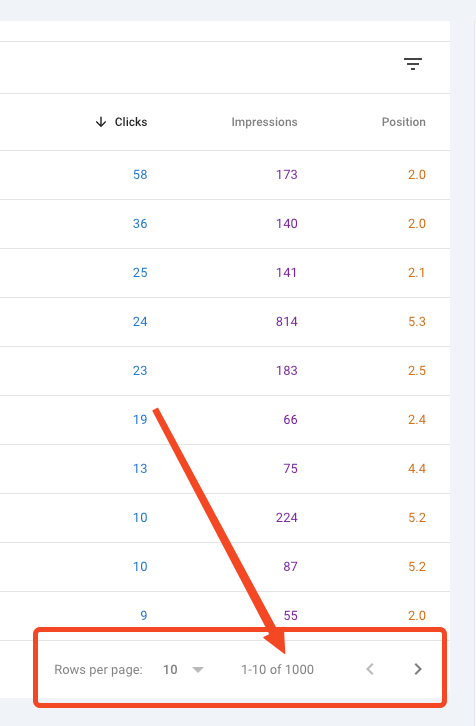
Query Cap Limit:
- GSC only shows up to 1,000 queries.
- Problematic for sites with 10,000+ queries, especially large or content-rich websites.
Hidden Long-Tail and Conversational Keywords:
- Most long-tail, conversational search queries are hidden on GSC UI.
- Makes it difficult to cluster queries, understand search intent and clarity of key query that drive high buying intent organic traffic.
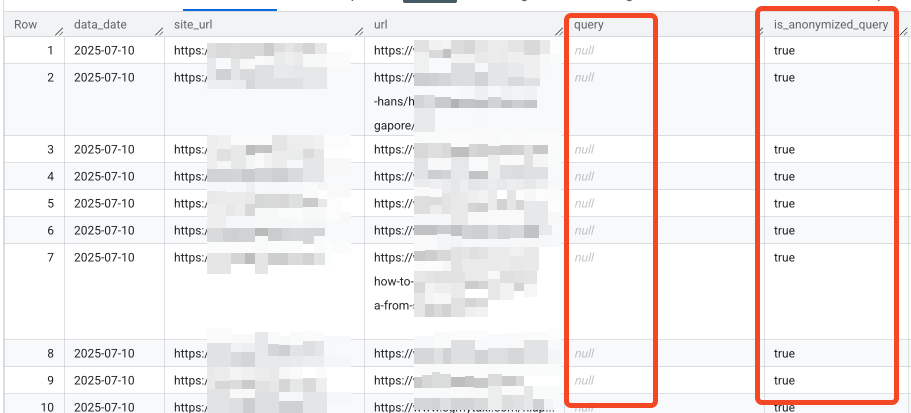
“Anonymous” Queries:
- Some traffic-driving queries are grouped under “Anonymous”.
- As a result:
- You may receive clicks without knowing their source.
- Low traffic pages often report as “Zero click”, in fact they are driving high intent traffic.
- You might misjudge a page’s performance, thinking it’s underperforming.
- This can lead to wrong decisions, such as pruning or de-prioritizing content that actually converts well.
“Average” metrics in GSC are nearly useless:
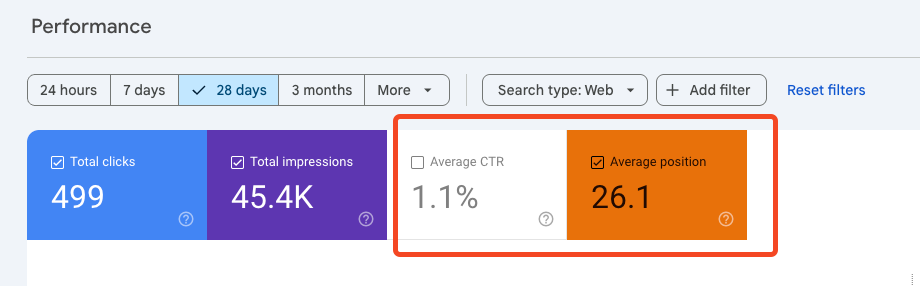
Here’s a case from my site that proves it.
In July 2025, I noticed the average ranking drop in GSC. But I couldn’t tell which URL was causing it. The GSC interfaces are not designed to filter out the low-ranking queries and content groups. So at first, I thought the sites were doing poorly.
But here’s what really happened: some of my pages started gaining traction and began ranking for a lot of new, unique queries—just not on page one yet. These lower-ranked new queries pulled down the average. It was actually a good sign.
Metrics like average CTR, average position, and bounce rate often become blind spots—especially when you’re looking at large datasets.
3.2. Complex GA4 Was Built for all website owners —Not for Everyday SEO Marketers
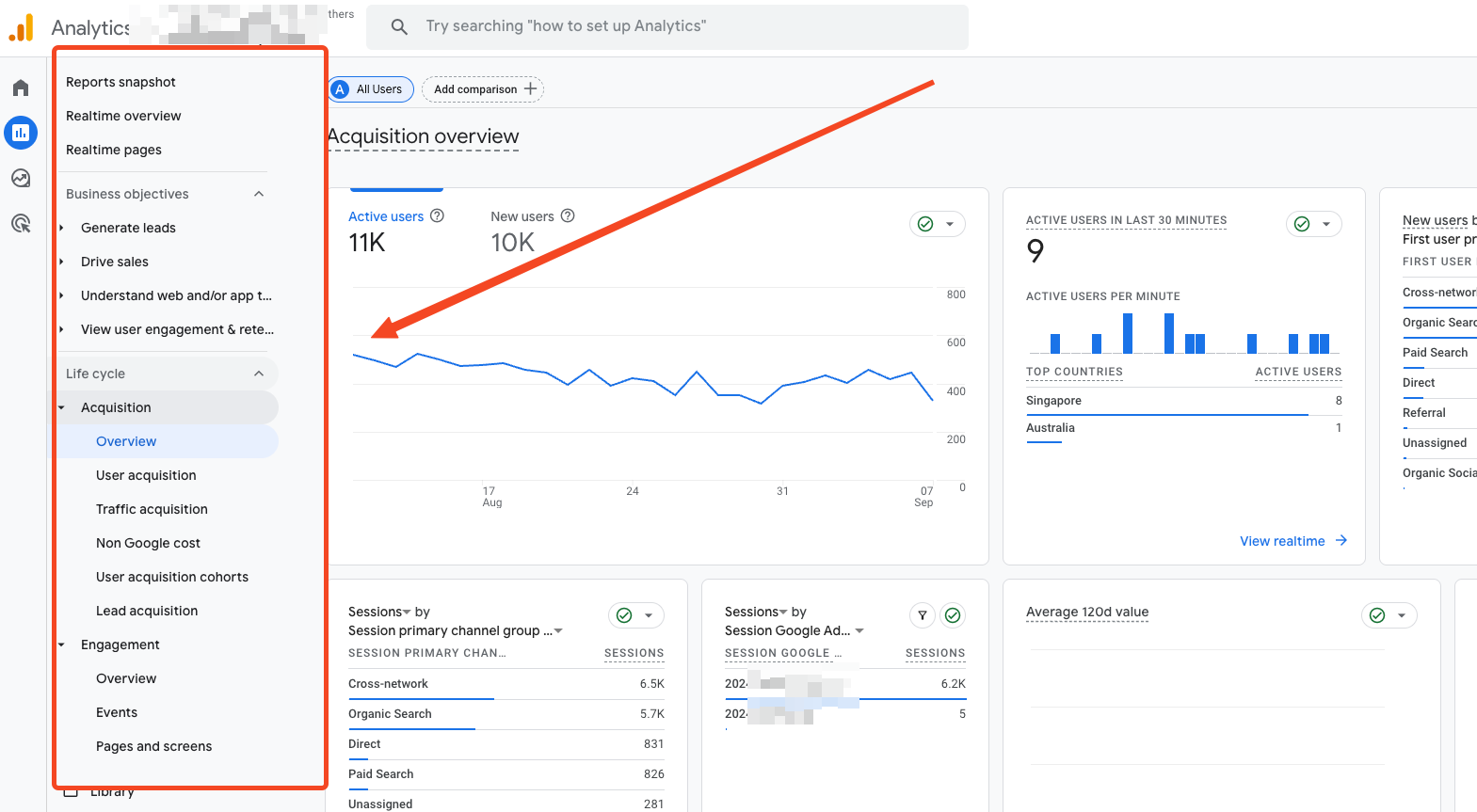
Complex, Unintuitive Interface for SEO Use Cases:
Most marketers find GA4’s interface confusing and fragmented
- It is hard to navigate to the data you need, fast.
- Most of the metrics in GA4, don’t really help you understand how well your content is doing in search.
- Simple insights — like “which pages are driving organic conversions” are most common and essential. But you are required to build custom reports in exploration for it, which is highly complicated and prone to errors.
Improper Attribution:
- It’s hard to track the SEO touchpoints within user journeys, especially when GA4 hides first-click and linear attribution views behind complicated configurations.
- Landing page for first time visit users is not a first-class metric in GA4.
No Clear Organic User Pathway:
Content optimization relies on understanding how a user
- Finds content (query and page),
- How content pathway navigates user into deeper site,
- Converts — or doesn’t.
Frequent Interface and Metric Changes Break Reporting:
GA4 often alter reporting and metric causing unstable for reporting consistency
- Metric definitions change
- Custom explorations may break without notice.
- What worked last month might be gone or altered today, making recurring reporting a constant game of catch-up.
As SEO marketers, our job isn’t to master GA4. It’s to have a purpose-built SEO content dashboard that helps us monitor performance and make decisions quickly.
3.3 GSC Tracks Clicks, GA4 Tracks Users, Combine both.
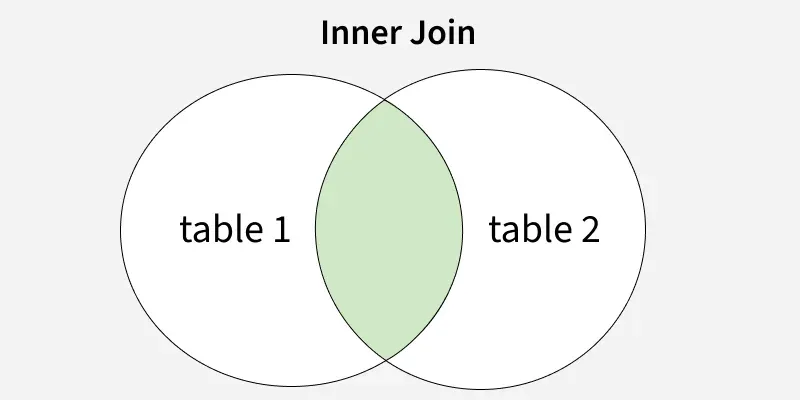
“clicks” or “user”, which one should you analyse?
Isn’t that the frustration we always had?
To have a complete picture of your SEO performance, you need to combine both data. From search query up to conversion.
Proper data engineering and transformation are essential to architect the data layer, enabling you to extract user insights from GA4 while simultaneously monitoring queries and clicks from GSC.
without combining GSC and GA4 data into a centralized dashboard , you can’t group pages by outcome and align content topics to users’ intent.
But even if you connect GSC to GA4 dashboard (GA4 internal feature), they still don’t give you a full story.
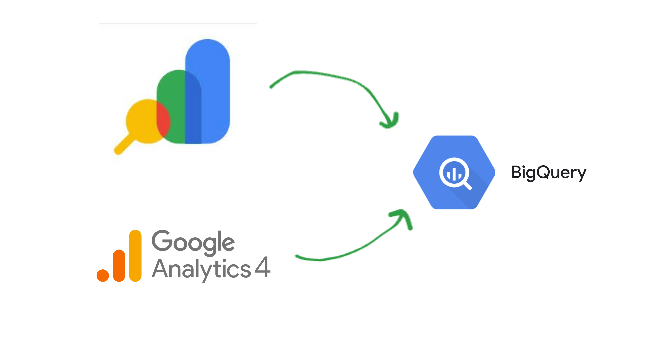
The only way is to join both GSC and GA4 raw data on BigQuery.
You can’t trace a user’s path from search query → landing page → content pathway → conversion in one place.
Even with GSC and GA4 API connection data, the problem isn’t solved cleanly. I’ve explained this in more detail in this post (BigQuery for SEO).
So instead of getting clear answers, you’re piecing together fragments and making guesses.
4.0 Example of GA4 and GSC are not for SEO
GA4 metrics only tell part of the story, as they mainly show you the user’s incoming channel. As a content marketer, you also need to identify which content attracts high-intent organic users.
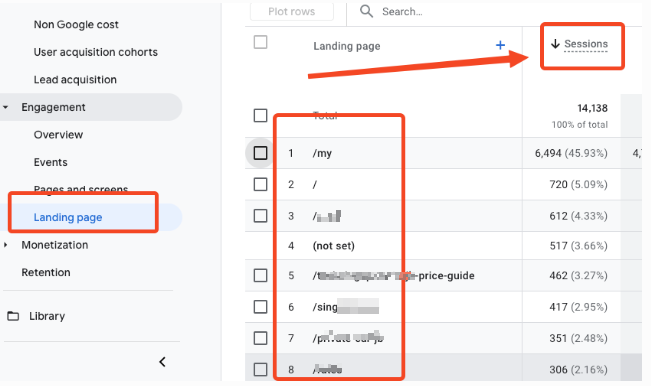
You might think that the Landing Page report is a good way to check each URL’s performance. But for an SEO content marketer, I’d say that’s misleading.
As you can see from the screenshot above, those metrics are based on sessions, which is not the right way to identify the first SEO content that actually brings in new organic users—and deserves credit.
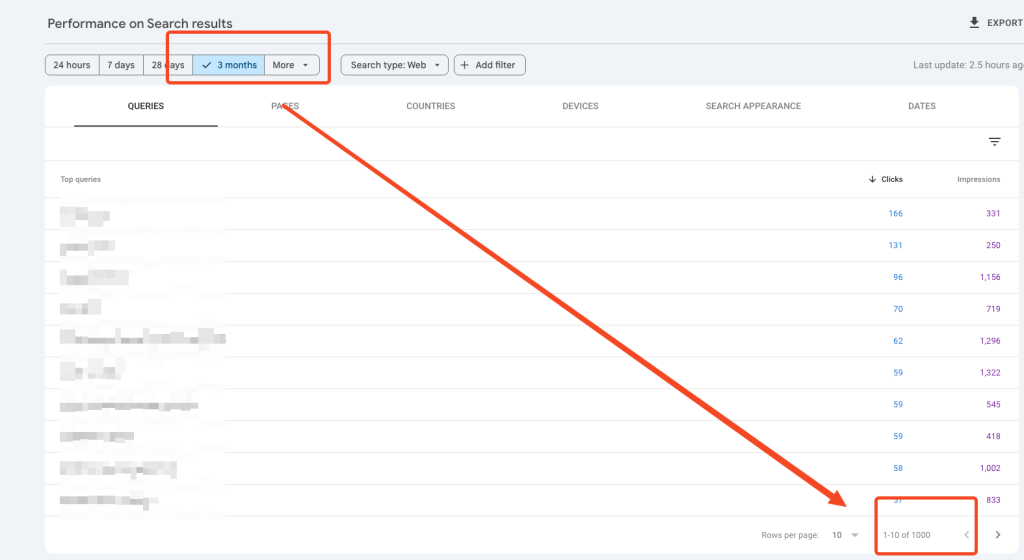
In GSC, no matter how long a date range you choose, the UI always limits you to 1,000 rows of query data. This design is far from SEO-friendly. When you have hundreds of thousands of queries, how could you possibly check them one by one without proper segmentation features? It’s simply not practical for an SEO team to monitor on a daily basis.
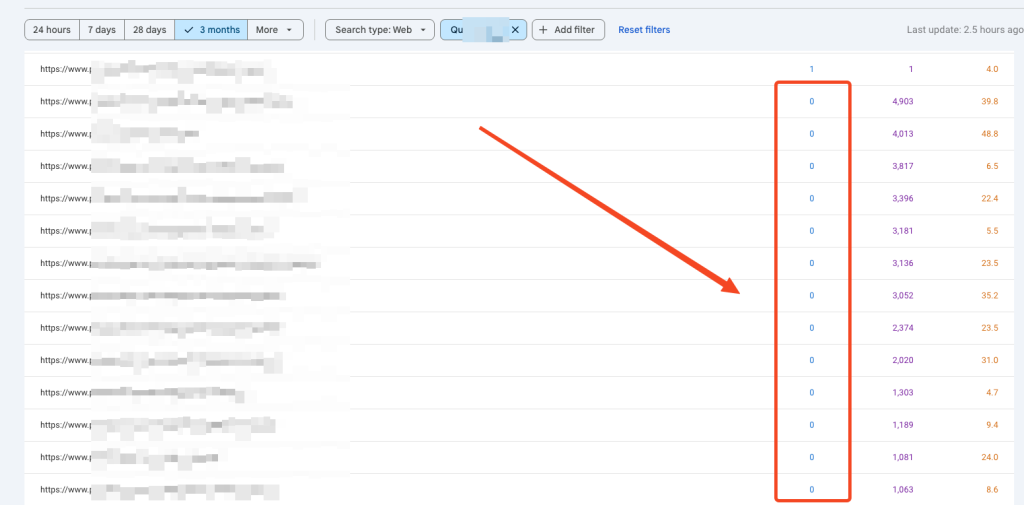
When you look at the GSC UI, you’ll often notice many pages showing zero clicks and a 0% CTR. But this is misleading. Google anonymizes a large portion of queries, which means you can’t always see the exact keywords users are searching. That doesn’t mean those pages didn’t get any clicks. As a result, you might wrongly assume a URL is underperforming when, in fact, it is driving results.
5.0 How Should SEO Analytics Evolve in the AI Era (2025)
Sites Obsessed with Traffic Are Dying.
Here’s the SEO Strategy That Wins Long-Term
You’re putting in the work of writing blog posts, doing keyword research, checking your traffic graphs daily. And when the trends are going up in GSC and GA4,
it feels like you’re winning.
But… are you?
- Is your winning query traffic going up?
- Is your top-performing content growing?
- Is your organic conversion rate improving?
- Is the traffic from content that attracts real buyers consistently increasing?
If not… maybe it’s time to rethink how you’re measuring SEO success.
The Old SEO Mindset: “More Traffic = More Sales” worked 10years ago, when competition was low, algorithms were simpler, “keyword volume” was all you needed.
When your mindset is focused only on traffic, you won’t realize that GA4 isn’t built for SEO. It may seem sufficient to track ups and downs but it doesn’t give you the content-level insights SEO needs.
And that’s the blind spot, you forget the true purpose of SEO and overlook how it has shifted in the AI era.
Here’s a reminder: the purpose of building SEO traffic isn’t just to get more page views, but to attract high-intent organic users who are more likely to buy your product or service.
It is even crucial in 2025, because of AIO.
Your real competitor isn’t the websites on the SERP — it’s Google itself.
6.0 The Big Shift of AI in SEO : From Keywords to Intent
Here’s what changed:
- Google no longer just matches keywords. It interprets the intent behind the query.
- People now search with natural language—asking questions, typing full thoughts.
- Google wants to serve users with in-depth answers, expert insights, and experience use cases—not generic keyword-stuffed posts.
Here is what you should do: Shifting toward Intent-Topic SEO
- Create content that answers high-intent and specific questions, with perspectives that truly reflect that your site is the expert.
- Focus on high buying intent searchers who are researching, comparing, or ready to buy.
- Use conversational queries as your guide—because that’s how people actually search now.
SEO isn’t about scaling unlimited top-of-funnel content that barely answers the searcher’s problem — AI Overviews (AIO) already do that better than you.
So how should your mindset shift?
Back to the basics:
SEO is no longer about nurturing or answering generic questions. It’s about solving real problems with content that drives action — especially for high-intent searchers.
Stop writing for keywords. Start writing for the person behind the search. Because what you really want isn’t more traffic — it’s more high-intent users from search engines.
More irrelevant traffic only dilutes your SEO authority.
That’s why you need a SEO content analytics dashboard that does more than show traffic charts. You need one that helps you grow SEO with real insights.
The kind that uncovers your winning Intent-Topic content and leads you to the one metric that actually matters.
7.0 SEOinsight Explorer – Content-to-Revenue SEO Analytics
Rethink Analytics for Real Business Impact, Not Just Technical Performance
If “traffic” isn’t the main performance indication—what is?
Here’s the thing, people rarely buy right away.
They compare.
They research.
They have questions that need to be answered before making the call.
They are looking for a trustable seller.
Now, you have built content blog posts that are resolving their problem, but do you know the performance of the posts?
- What are the converted users of each organic post every month?
- What is the top converting topic content?
- What is the first landing page of the converted organic users?
- What is the top performing content group that brings in converted users?
- How can you identify all queries for the winning content group?
To figure that out, you need SEOinsight Explorer, a custom-built SEO content analytics driven by GSC and GA4 raw data in BigQuery and Looker Studio for SEO growth.
Here is how it helps;
- Track the user content pathway
- Identify which organic posts drive actual conversions
- Help you to spot patterns for decision-making
- Spot abnormal trends of your SEO content data.
You don’t need to rely on default GA4 and GSC anymore. The Looker Studio dashboard is able to give you clarity for your next move.
Get the most out of your GSC and GA4 data using our custom data transformation logic for full SEO insight.
Simple, intuitive, insight that lets you zoom into detail of the query, user and content, understand its impact, and replicate what works.
That’s how you turn SEO insight into action.
Conclusion:
Relying on GSC and GA4 alone keeps SEO teams stuck with fragmented metrics, blind spots, and guesswork.
In the AI era, success isn’t about chasing traffic.
It’s about understanding intent, spotting high-value content, and connecting queries to conversions.
SEOinsight Explorer transforms raw GSC and GA4 data into a clear, connected view of your content-to-revenue path.
No more guessing which pages win, no more “praying” for new posts to perform. You get actionable insights to refine what works, fix what’s broken, and grow with purpose.
Because real SEO growth comes from clarity, not complexity and now you can measure what truly matters.